หน้าแรก › ธรรมชาติ › Sketchfab
low poly forest 4
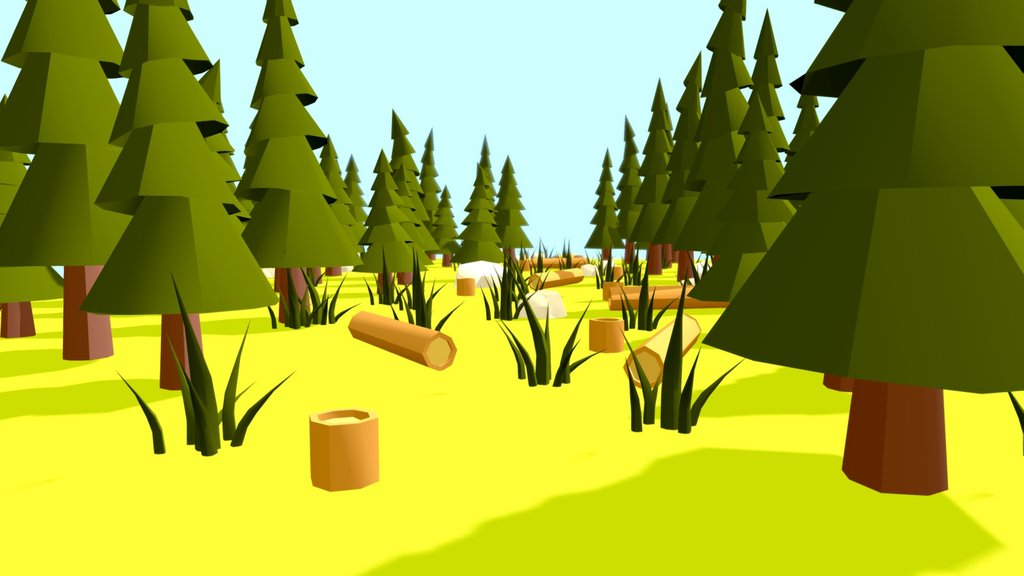
Creating a low poly 3D model forest involves designing simple geometric shapes to represent trees, shrubs, and terrain. Here's a general approach: 1.Tree Models: Design basic geometric shapes for trees, like cones or cylinders for trunks and cones or spheres for foliage. Keep the polygon count low by minimizing details. 2.Shrubbery: Use simple shapes like spheres or cubes to represent bushes and shrubs. 3.Terrain: Create a flat terrain with a few bumps and hills using basic shapes like cubes or planes. Keep it simple to maintain the low poly aesthetic. 4.Texturing: Apply textures sparingly to maintain the low poly style. Simple colors or basic patterns work well. 5. Arrangement: Place the tr
สัญญา Sketchfab Free ทำอะไรได้บ้าง
สัญญา Free Standard ของ Sketchfab ใช้ในงานเชิงพาณิชย์ได้ แต่ห้ามแจกจ่ายหรือขายไฟล์โมเดลต่อ
สรุปย่อเพื่อความสะดวก โปรดอ่านสัญญาฉบับเต็มที่หน้าต้นทางก่อนใช้งานจริง · เทียบสัญญาทุกแบบวิธีดาวน์โหลดและนำเข้า Unreal Engine 5
กดปุ่ม Download 3D Model ที่หน้า Sketchfab เลือกไฟล์ต้นฉบับ หรือไฟล์แปลงอัตโนมัติ glTF, GLB, USDZ
.gltf และ .glb
Unreal Engine 5 นำเข้าได้โดยตรง ลากไฟล์เข้า Content Browser ได้เลย ไฟล์ .glb สะดวกกว่าเพราะรวมเท็กซ์เจอร์ไว้ในไฟล์เดียว
.obj
นำเข้าเป็น Static Mesh ได้ทันที นามสกุลนี้ไม่มีโครงกระดูกและแอนิเมชัน